
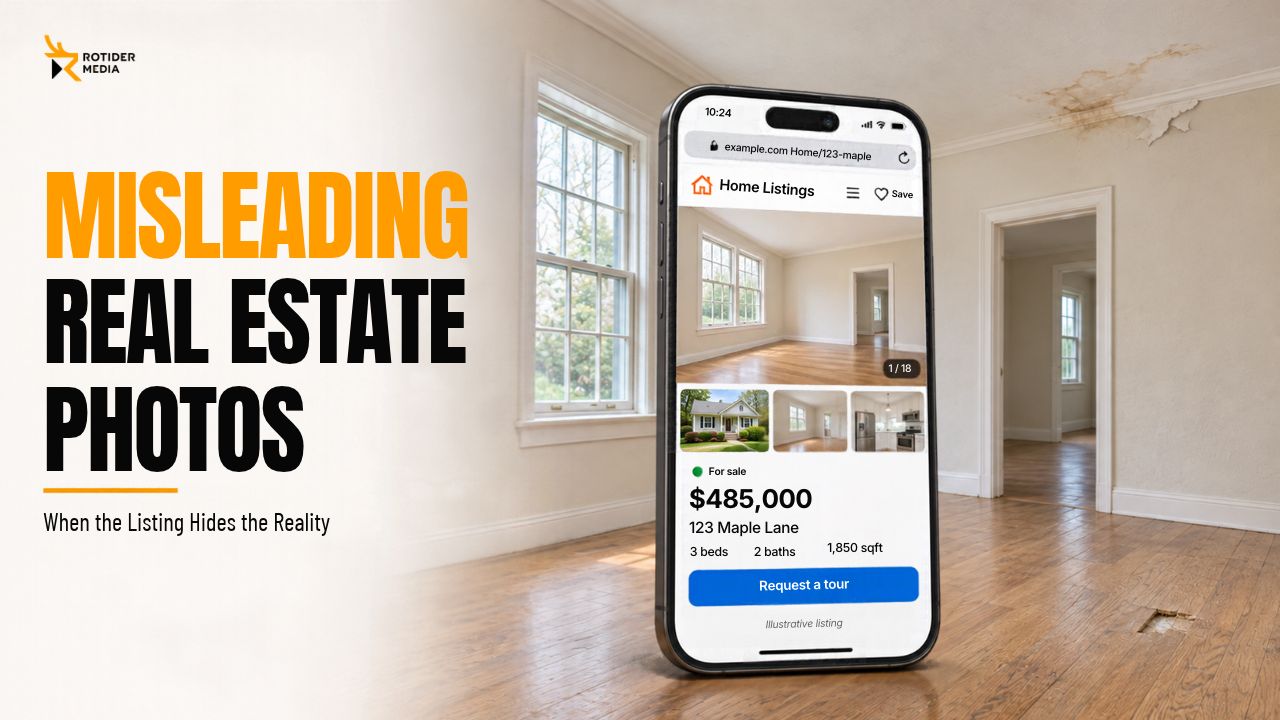
A listing photo should help buyers understand the home they may visit. But an image can look polished while giving the wrong impression of the property’s condition, size, features, or surroundings. This guide helps agents and real estate media teams identify misleading real estate photos, review common editing requests, and publish images that set accurate expectations.
What Makes a Real Estate Photo Misleading?
Misleading real estate photos give buyers an inaccurate impression of a property’s condition, layout, features, or surroundings. Assess accuracy, disclosure, and platform permission separately: an image can need a label without being deceptive, and a label does not make every alteration acceptable.
Editing is not the only way to create an inaccurate impression. An extreme wide-angle view, especially from close to foreground furniture, can exaggerate the apparent space between near and distant objects. An exterior photo set can also leave important context unclear if every angle hides a neighboring structure. Neither situation requires artificial intelligence (AI).
Standard real estate photo editing is a normal part of preparing listing photography. Exposure adjustments can clarify captured shadow detail, while white-balance corrections can bring colors closer to the appearance of the actual materials. The key question is whether the finished image still accurately represents the property.
For every final deliverable, apply a simple verification check: What specific layout and condition will a buyer expect after viewing this photo, and will the property actually match that expectation when they walk through the door?
Which Listing Photo Changes Can Mislead Buyers?

The clearest problems arise when an image changes information a buyer could use to decide whether to tour, price, or pursue a property.
Hiding defects or the home’s actual condition
Digitally erasing water stains, damaged flooring, or peeling paint changes the condition shown in a listing. The image may look cleaner, but buyers may reasonably assume the visible damage is not present. Keep those features accurate rather than using retouching to make unfinished repairs appear complete.
Repairing a property before the shoot differs from editing a photo to make it look repaired. Address the cause of a stain and complete any necessary repairs before photographing the finished work. Cloning out the mark changes the image without resolving the problem at the property.
Unintended AI changes need the same review. A generative tool asked to declutter a room may also change floor textures or remove visible scratches. Compare the result with the source image and other available views, checking details outside the requested edit as well as the area you intended to change.
Making rooms appear larger or changing their layout
Wide-angle lenses can include more of a room in one frame. Problems arise when camera position, edge stretching, lens distortion, or digital changes make the room’s proportions difficult to judge. Review both the furniture in the foreground and the space behind it before selecting the image.
A compact bedroom may appear to have more walking space than it does when the framing hides the narrow gap beside the bed. A complementary angle and a floor plan with verified dimensions can help buyers judge the layout. Use those views to explain the space rather than relying on one photograph to communicate exact dimensions.
Virtual furniture should reflect the room’s actual dimensions. An undersized sofa, bed, or dining table can suggest a layout that would not fit or leave usable walking space. Use verified room measurements and furniture dimensions where available. Treat doors and other visible features as supporting references, and flag uncertain scale for review.
Changing permanent features or surroundings
For prospective buyers, fixed elements such as windows, doors, cabinetry, countertops, utility poles, neighboring structures, and exterior views carry practical decision-making weight. Removing or replacing any of these features in post-production alters the factual information a property listing conveys.
Brightening a facade differs from removing a utility pole beside the lot. Likewise, blending captured exposures to show the view through a window differs from replacing that view with another backdrop. In each case, the second treatment changes what buyers are led to believe exists at the property.
This standard of accuracy also requires visual consistency across the entire photo set. If one frame shows a fireplace, window, or specific flooring finish that disappears or changes material in another angle of the exact same room, the listing agent must resolve that discrepancy before publishing.
Showing an unbuilt renovation as though it exists
Renovation concepts can help buyers visualize a proposed kitchen or bathroom layout. Present them as proposed designs, not photographs of the home’s current condition.
Label renovation concepts clearly, retain photographs of the existing space, and confirm whether the publishing platform permits the proposed images. A disclaimer does not automatically make a changed floor plan or nonexistent addition acceptable. When the permitted use is unclear, confirm the rules before including the concept in the listing gallery.
Which Common Real Estate Photo Edits Need a Closer Look?

Some requests cannot be judged by the name of the editing technique alone. The result, the property, and the publishing rules all matter.
Exposure, color correction, HDR, and window pulls
Exposure and color adjustments improve the presentation of captured detail. HDR blending and window pulls combine information from additional exposures to show a wider range of brightness. These techniques can clarify dark corners and bright windows, but they should preserve the room’s actual features and materials.
Always cross-check the processed output against the property's actual physical characteristics. Does the wall paint color still match on-site reality? Can buyers clearly inspect the true condition of the flooring and wall surfaces? Do the windows show the genuine exterior view rather than a substituted backdrop? A listing image can be bright and clean while still documenting all of those features accurately.
Judge the result, not the edit’s name. Calling a change “color correction” does not make it accurate if it replaces the actual wall color or disguises a damaged finish. Keep this visual check separate from the disclosure requirements discussed below.
Sky replacement and virtual twilight
Sky replacement alters the overall atmosphere of an exterior photograph, while virtual twilight editing goes further by converting a daytime capture into a dusk scene. The technical label alone does not determine whether the finished asset is compliant for publication.
Check rooflines, landscaping, neighboring buildings, and sightlines. Review any added window glow or landscape lighting against the home’s actual fixtures, and note when a daytime image has been converted to a dusk scene. Then confirm any disclosure requirements with the applicable multiple listing service (MLS) and publishing platform.
Compare the twilight treatment with the daytime gallery. If it adds features or exterior conditions that conflict with the property, correct the edit or consider an on-site twilight shoot. The finished image should help buyers recognize the home rather than create an appearance the property cannot match.
Object removal and virtual decluttering
A listing agent may ask whether it is acceptable to edit out loose cords, trash cans, moving boxes, or personal clutter from a photo. The answer depends on what the object is obstructing, what role it plays in the scene, and where the image will be published.
Check what an object conceals before removing it digitally. Appliances included in the sale, permanent fixtures, utility infrastructure, and visible damage need particular care. Generative object-removal tools may reconstruct hidden areas, but that reconstruction cannot establish the condition of a surface the source does not show. If a box covers part of a wall, another view may be needed to verify what is behind it.
Where practical, ask for temporary items to be moved before the photograph is taken. For an existing image, compare other angles of the same area and check the publishing rules. If no source shows the hidden surface, request another photograph or confirmation from someone familiar with the property before approving the edit.
How Can Agents Use Virtual Staging Without Misrepresenting the Home?
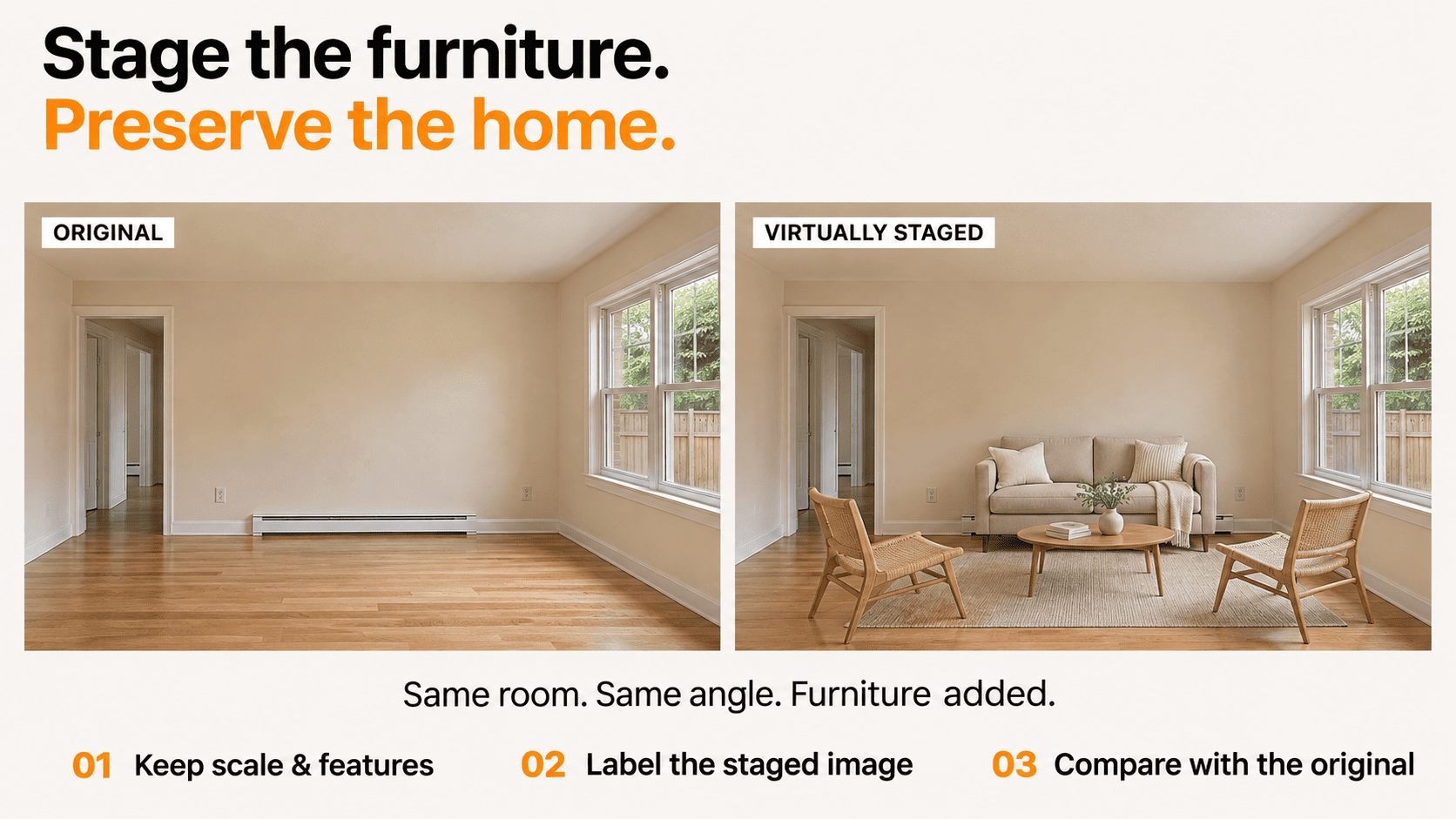
Virtual staging can give buyers a sense of how an empty room might function. It works best when the staged version remains easy to compare with the room that actually exists.
Keep the room and its scale intact
Keep virtual furniture proportional to the room. Check bed and table dimensions, furniture scale, and walking clearance against available measurements. A door frame can provide context, but it should not substitute for verified dimensions when the proposed layout depends on a tight fit.
Preserve the home’s existing architecture and materials. A request to make a room feel warmer should not add windows, replace flooring, erase baseboard heaters, or change the kitchen layout. Compare generative AI output with the source images and property information. Ask the agent to resolve discrepancies that cannot be verified remotely.
Make the original easy to compare
Buyers should be able to distinguish a furnished concept from the actual room. A clear “Virtually Staged” label and access to the corresponding original image make comparison easier. Keep the source and staged versions identifiable, and apply the specific labeling and original-image requirements of the relevant law, MLS, and platform.
Arrange each original and staged image so a viewer can tell they show the same room from the same angle. A generic note buried at the end of the listing is less useful to a buyer comparing individual images.
Review the output for changes nobody requested
Before approving a staged image, compare it with the source photo at full size. Look beyond the furniture:
-
Are the number and placement of doors, windows, outlets, and fixtures unchanged?
-
Are flooring, cabinetry, countertops, and wall finishes still accurate?
-
Does the view through each window match the source?
-
Does furniture appear correctly proportioned?
-
Do other photos of the room tell the same story?
If the tool changed a property feature, regenerate or correct the image and review it again. If the room itself needs cleaning or repair, fix what can be fixed before the shoot instead of asking staging to conceal it.
When Do Edited Listing Photos Need Disclosure?
Some edits need more than a visual accuracy check. Virtual staging and other digital changes may require a clear label and access to the original photo, depending on where the listing is published.
For example, California has disclosure requirements for covered digitally altered images, and CRMLS requires the original image immediately before or after the altered version. Check the rules that apply to your listing before uploading.
A label explains what was changed; it does not make a misleading edit acceptable. Keep the home’s condition, layout, permanent features, and surroundings accurate.
A Pre-Publication Checklist for Agents and Photo Editors
Accuracy is easier to protect when the agent and editor agree on the limits before files are produced. Use this review for a single image or an entire gallery.
|
Stage |
What to do |
Decision to record |
|
1. Brief |
Identify each requested change and its intended use: MLS gallery, agent website, social post, or clearly labeled concept. Flag requests affecting property features, condition, or surroundings. |
What may change, and what must remain visible? |
|
2. Retain sources |
Keep the original capture and identify staged or conceptual versions separately from standard listing edits. |
Which file is the original for each published variant? |
|
3. Compare |
Review final images beside originals, other room angles, property information, and the floor plan where available. Zoom in on windows, finishes, fixtures, and AI-generated details. |
Would a buyer draw an inaccurate conclusion from any image? |
|
4. Resolve |
Correct the edit, obtain another photograph, or keep an appropriate concept image separate and labeled. Escalate uncertain requests to the listing agent or broker. |
Who approved the treatment and why? |
|
5. Publish |
Apply the disclosure and original-image requirements for the relevant law, MLS, and platform. Have someone familiar with the property approve the final gallery. |
Are the required labels and originals present? |
|
6. Check live |
Inspect the listing after it appears on the MLS and major destinations. Confirm that captions, image order, and links survived publication or syndication. |
Does the live listing match the approved version? |
A final quality-control review is critical because files approved internally by an editor may differ from how the images actually display once published online for prospective buyers.
When briefing Rotider, describe each removal request precisely and provide other angles where available. For example, replace “remove everything on the patio” with “remove the loose moving boxes; keep the condenser, drain, damaged paving, and neighboring structure visible; use the second patio photo to verify the area behind the boxes.” This is an illustrative brief, not a completed client case. Clear instructions can reduce avoidable revisions and help the agent review the image for its intended use.
Read more: Real Estate Post-Production: A Complete Guide for Photographers and Media Teams
Rotider's Perspective: Edit the Image, Preserve the Property
A strong listing image makes a home easier to see without changing what buyers will find there. That means correcting light and color, checking that finishes still look accurate, and reviewing more complex requests against the original photo. If an edit removes an object or changes the mood of an exterior, the agent and editor should first agree on what the image is meant to show.
That is the approach behind Rotider’s real estate photo editing services: start with the source images and a clear brief, then produce visuals suited to the listing’s intended use. For empty rooms, virtual staging can help illustrate furniture placement while keeping the actual room recognizable. Share the original files and your editing notes with Rotider so the team can review the request and recommend an appropriate scope.
Frequently Asked Questions About Misleading Real Estate Photos
Is real estate photo editing misleading?
Not inherently. Exposure, white balance, color, perspective, and other common adjustments can improve clarity. An edit becomes a problem when the result gives buyers an inaccurate impression of the property. Assess the final image rather than relying on the name of the technique used to produce it.
Is virtual staging misleading if it is labeled?
Not necessarily. Clearly labeled furniture can help buyers picture an empty room, especially when they can compare it with the original. The staging still needs to preserve the room’s size, finishes, condition, and architectural features. A label does not correct a materially inaccurate image.
Can you remove objects from real estate photos?
There is no reliable yes-or-no rule for every object and every MLS. Moving a temporary item before the shoot is the clearest option. For an existing photo, determine whether removal would conceal a feature or condition, whether the area behind the object can be verified, and what the applicable publishing rules require.
Are sky replacements and virtual twilight photos allowed?
Requirements vary by jurisdiction, MLS, and platform. Review whether the final image accurately represents the home and surroundings, whether the treatment needs disclosure, and whether a real twilight photo would better serve the listing. Do not assume that “sky replacement” is automatically exempt from every rule.
Do agents need to show the original photo?
It depends on the alteration and where the listing is published. For example, California’s law requires access to the original for covered digitally altered sale images, while CRMLS has a specific rule placing the original immediately before or after a covered altered MLS image. Check the requirements that apply to the listing rather than using one nationwide rule.
Who should review edited listing photos before publication?
The editor should check the output against the source and flag changes that affect the property’s representation. The agent or broker should make the final publishing decision with knowledge of the property and the applicable listing rules. Neither a polished file nor an AI tool’s output replaces that review.
Final Takeaway
Strong listing photos make a home easier to understand and worth visiting. The best edits improve visibility and presentation while preserving the facts a buyer will encounter at the property. When an image changes those facts or makes the answer uncertain, pause, compare it with the original, and resolve the issue before the listing goes live.
.jpg)





.jpg)