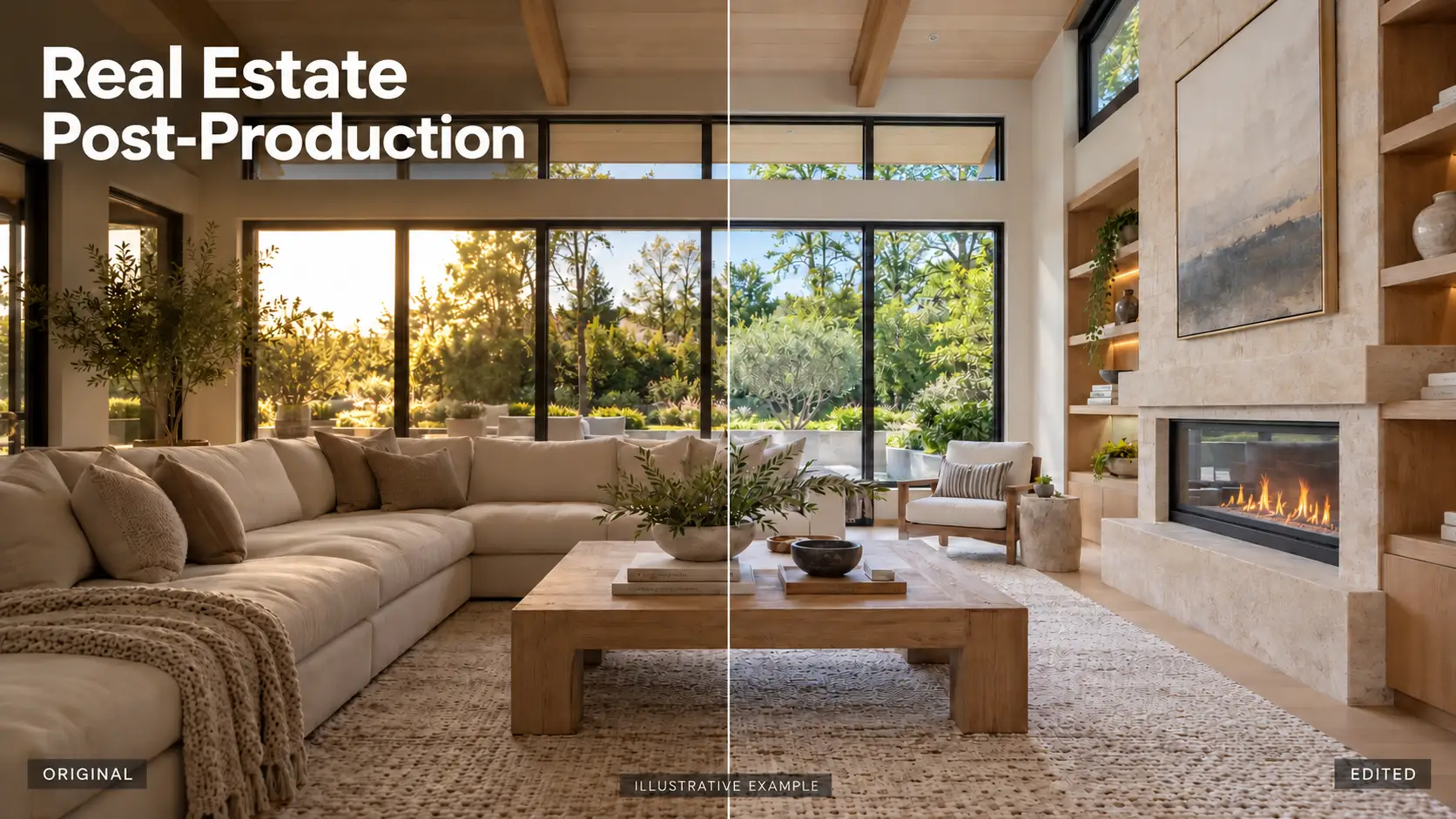
Real estate photo editing is essential, but not everyone has the time and skills to edit images to make them sell. Let real estate photo editing software help you do that. Check out the top 5 real estate photo editing software used by many people to help your images stand out in listings and sell.
1. Why Real Estate Photo Editing Is Essential?
Real estate photo editing is essential to improve the quality of your images, ready for sale. A good quality real estate photo will help attract buyers at first sight and get them interested in the property.
Not only are raw photos often underexposed and have unattractive colors, but even photos taken in good conditions often fail to highlight the good features of the home.
Especially in today’s competitive online marketing environment, if your property is not attractive enough, it will be overlooked. Real estate editing not only increases your chances of selling, but also gives you the potential to sell for a higher price because your photos look more premium, showing investment and professionalism.
2. Top 5 Real Estate Photo Editing Software 2025
2.1. Lightroom
Adobe Lightroom is one of the top recommended real estate photo editing software with an easy-to-use interface and many features suitable for both interior and exterior photos. With Lightroom, whether you are an expert or a beginner, you can edit your images flexibly without too many skills.
With stable performance, non-destructive editing capabilities, and high flexibility, Lightroom is truly a worthy choice for anyone who wants to improve the quality of real estate images professionally and effectively.
Key Features for real estate photo editing:
- Basic Adjustment Panel: Fine-tune exposure, contrast, highlights, shadows, whites, and blacks to balance lighting across your photo.
- White Balance Correction: Adjust the color temperature and tint to achieve natural, true-to-life colors.
- Lens Correction & Upright Tool: Fix distortion, chromatic aberration, and perspective issues with just one click.
- Crop & Straighten: Crop images to highlight key areas and straighten crooked lines.
- Batch Editing: Apply your favorite look across multiple photos with one click using presets.
- Spot Removal Tool: Easily remove minor distractions with a touch
To use Lightroom, you need to download and pay. However, currently, Lightroom allows users to try it for free for 7 days to experience it.
2.2. Adobe Photoshop
Adobe Photoshop is considered an advanced real estate photo editing tool for those who need precision down to the last detail. Unlike basic editing software, Photoshop provides a professional workspace where you can control almost every element of the photo.
The power of Photoshop lies in its ability to handle complex details that other software cannot do, from sophisticated edits to highly creative post-production operations.
Key Features of Adobe Photoshop for Real Estate Photo Editing
- Layers & Masks: Work non-destructively by stacking edits and applying changes only where needed.
- Sky Replacement Tool: Automatically detects the sky and allows you to replace it with a more dynamic one.
- Object Removal Tools (Clone Stamp & Healing Brush): Easy to eliminate distractions like wires, trash bins, or reflections with surgical precision.
- Adjustment Layers (Curves, Levels, Hue/Saturation: Fine-tune brightness, contrast, color tones, and mood with full control.
- Smart Filters & Smart Objects: Apply effects non-destructively and maintain flexible edits at all times.
Similar to Lightroom, to use Photoshop, you need to download and pay. However, you can also use the free trial for 7 days.
2.3. Luminar Neo
Luminar NEO
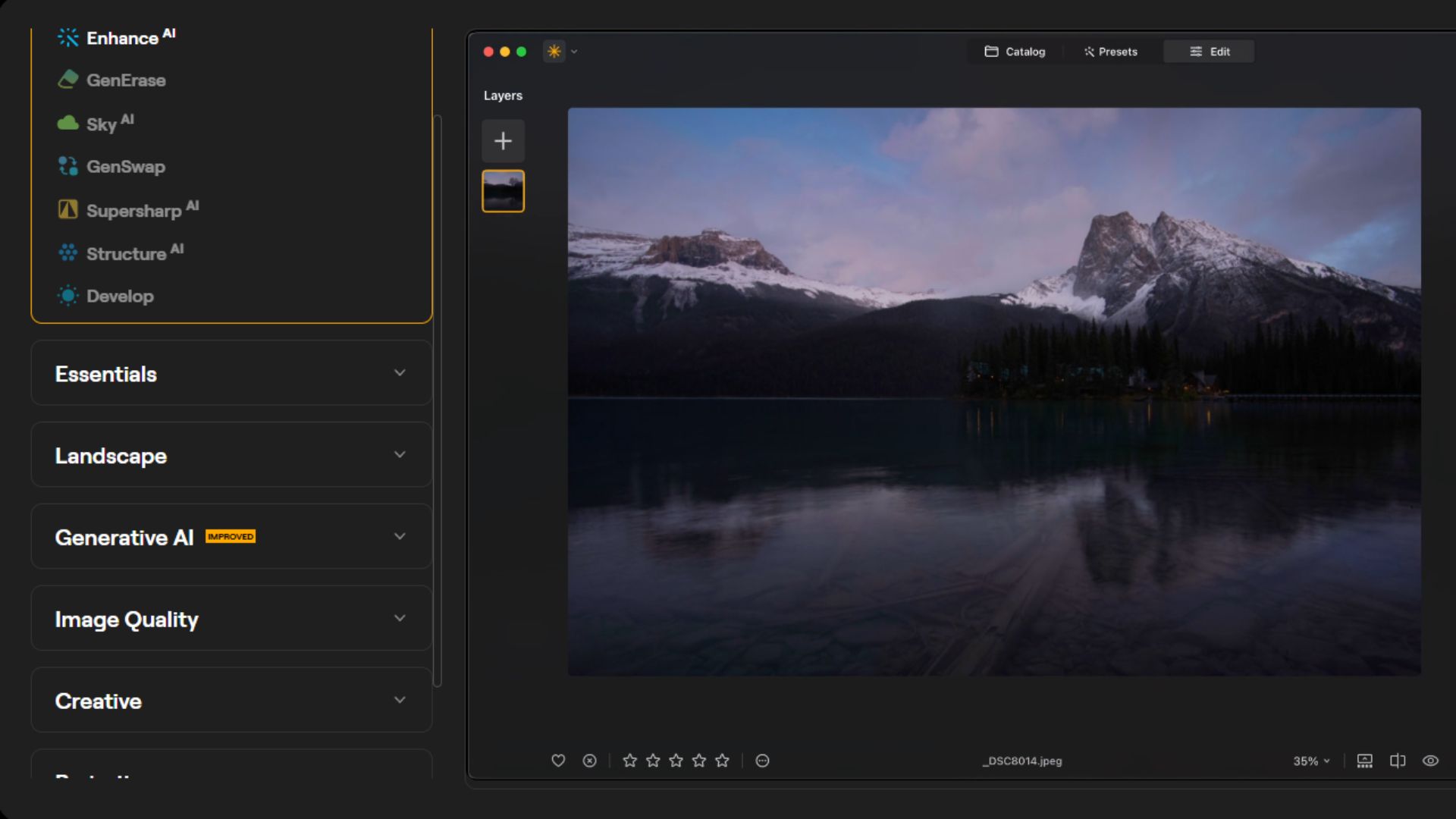
Luminar Neo is a new photo editing software that is increasingly popular in the real estate industry. The biggest advantage of this software lies in its ability to automatically analyze and enhance images using AI technology, helping users improve photo quality with just a few simple steps. This is especially useful for those who do not have much editing experience or need to process a large number of photos in a short time.
Key Features of Luminar Neo for Real Estate Photo Editing:
– Layers: Luminar Neo allows you to add and manage multiple layers, including overlays, textures, or even other photos. Unlike Lightroom, which lacks layer support, Luminar lets you adjust opacity, blend modes, and alignment (fit, fill, stretch) easily.
– Edit history: Luminar Neo lets you track your edit history and easily view before and after versions of your photos. You can undo changes, review previous edits, or discard adjustments entirely.
– Cropping: With Luminar Neo’s crop feature, you can select the aspect ratio, rotate and flip the image, and horizontal alignment for simple straightening.
– AI tool: Luminar Neo offers a variety of intelligent AI tools that simplify editing and deliver stunning results with minimal effort:
- Sky AI
- Enhance AI Intelligence
- Composition AI
- Mask AI
- Erase Tool (AI)
- Structure AI
- Relight AI
- SuperSharp AI
- Black & White Tool
Similar to other photo editing tools, you need to pay to use it and get a 7-day free trial.
2.4. Photomatix Pro
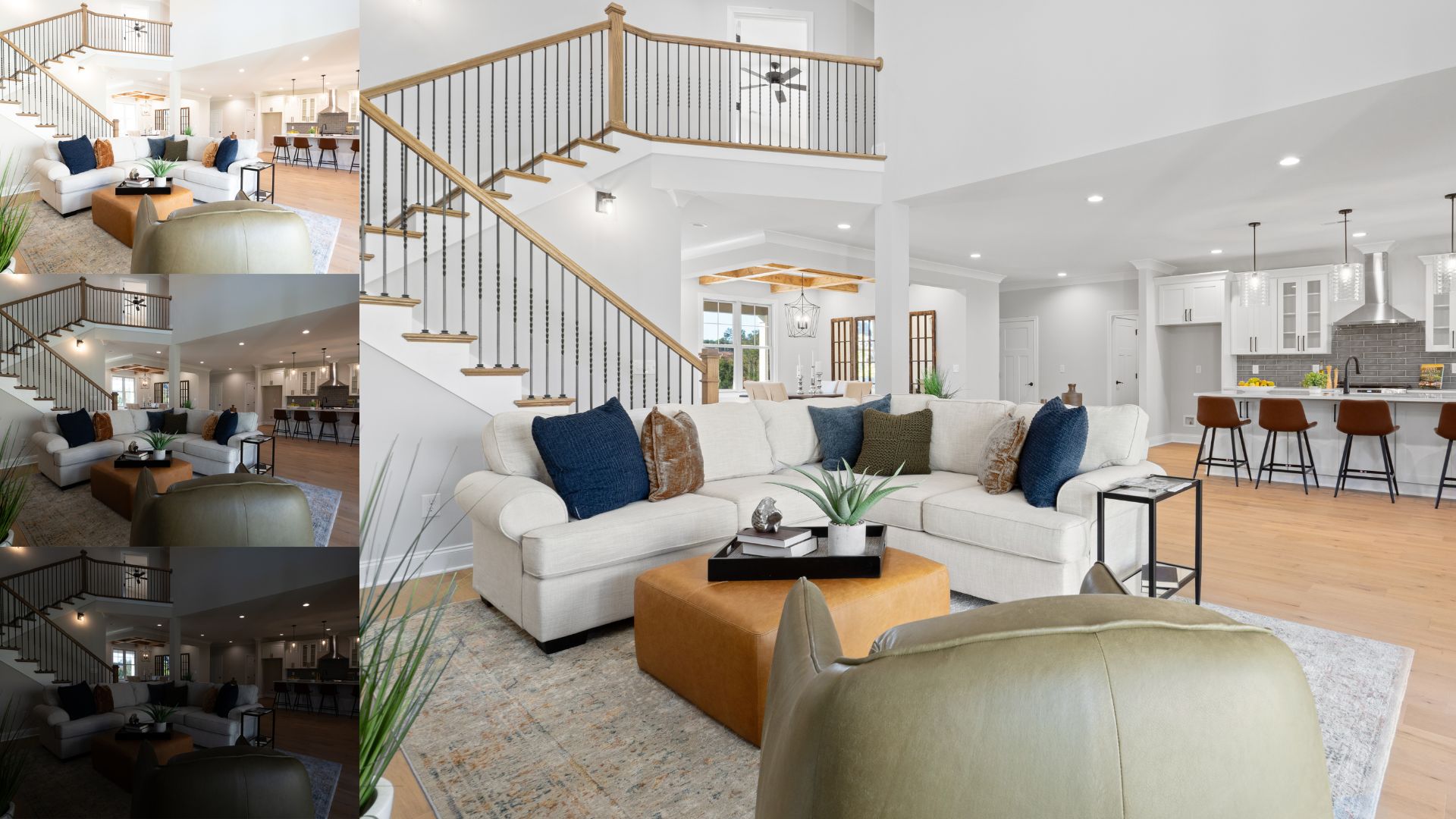
Photomatix Pro is a renowned photo editing software specializing in HDR (High Dynamic Range) image processing, particularly popular in the real estate industry, where it excels with interior photos or spaces featuring significant brightness differences, such as those with windows, outdoor lighting, and interior lights. This is an ideal tool for photographers or editors who need to create images with balanced brightness, sharpness, and realism.
Key Features of Photomatix Pro For Real Estate Photo Editing:
- Merge Your Photos to HDR: Combine multiple bracketed shots (underexposed, normal, overexposed) into a single high dynamic range image that reveals details in both shadows and highlights.
- Adjust the HDR Image to Your Liking: Fine-tune brightness, contrast, and tone mapping settings to achieve the desired look, whether natural or dramatic.
- Choose a Preset to Start with a Particular Look: Select from a wide range of built-in presets that give your image an instant style, perfect for real estate interiors or vivid outdoor shots.
- Add Finishing Touches: Make final adjustments such as cropping, straightening, sharpening, and noise reduction to polish the image before export.
- Enhance a Single Photo: Even without bracketed exposures, you can apply tone mapping to a single image to enhance dynamic range and improve lighting balance.
- Batch Processing: Save time by processing multiple HDR image sets at once — ideal for real estate photographers handling large volumes of work.
To use the full features of Photomatix Pro, you will need to purchase a license. However, the software also offers a free trial, and your photos will be watermarked.
2.5. Canva
Canva is an incredibly useful online photo editing and graphic design tool, especially for beginners or those with no design background. With an intuitive interface, easy drag-and-drop operations, and a well-organized layout, Canva helps users quickly start editing.
Key Features of Canva For Real Estate Photo Editing:
- Image cropping and straightening: Crop photos and align horizons precisely to ensure a harmonious composition.
- Design grids and photo frames: Easily place photos in pre-designed frames or divide layouts with grids to create professional presentations.
- Add texture: Add layers of surface effects such as paper, fabric, lighting, etc., to make photos more vivid.
- Image transparency tool: Adjust the transparency of images and elements to create visual depth or highlight content.
- Over 8,000 templates: A rich library of templates for every design need – from real estate flyers to social media posts.
- Photo blur and vignette: Blur the background or create a dark edge effect to draw attention to the center of the photo.
- Photo enhancer: Automatically adjust brightness, contrast, and color with just one click.
- Speech bubble maker: Add speech bubbles to photos, suitable for infographics or social media content.
- Stickers and badges: A series of eye-catching stickers helps images become vivid, easily creating highlights for promotional content or real estate status
Canva currently has both a free version and a paid version, Canva Pro. Depending on your needs, the free version may have many limited features.
3. Quick comparison of 5 real estate photo editing software
When choosing the best photo editing software for real estate in 2025, it’s important to understand how each tool differs in features, usability, and editing capabilities. The following comparison highlights key strengths and limitations of Lightroom, Adobe Photoshop, Luminar Neo, Photomatix Pro, and Canva to help you decide which one fits your workflow and skill level:
Editing Software
Streghths
Weaknesses
Lightroom
Industry-standard for RAW editing, advanced color correction, powerful photo library organization, and batch editing. Great for consistent real estate workflows.
Subscription-only pricing, limited advanced retouching, no full layer-based editing, basic HDR control, and performance slowdowns with large catalogs.
Adobe Photoshop
Deep, pixel-level editing with layers, masks, advanced retouching, compositing, and generative AI tools for complex adjustments.
Very steep learning curve; expensive subscription; overkill for basic real estate edits.
Luminar Neo
Intuitive interface with strong AI-powered tools (e.g., sky replacement, object removal) and some layer-based editing. Easier for beginners and creative enhancements.
Catalog and large-photo batching are weaker than Lightroom; some features require extensions; performance can lag on heavy tasks.
Photomatix Pro
Excellent HDR merging and tone mapping, ideal for real estate interiors with mixed lighting and bracketed exposures; efficient batch HDR tools.
Interface feels dated; very specialized feature set focused on HDR rather than general editing.
Canva
Extremely user-friendly with drag-and-drop editing, lots of templates for listings & marketing, and a free tier available.
Not as powerful for professional photo corrections; lacks advanced RAW and HDR features.
4. Professional Real Estate Photo Editing Service
While real estate photo editing software can handle basic adjustments, achieving truly professional listing images often requires the expertise of a dedicated editing service. In today’s competitive property market, high-quality visuals are not just an advantage; they are essential for attracting buyers, increasing engagement, and building trust with potential clients.
Why You Need a Professional Real Estate Photo Editing Service?
Real estate listings are judged within seconds. Poor lighting, unbalanced colors, distorted perspectives, or inconsistent image quality can significantly reduce a property’s perceived value. A professional real estate photo editing service helps eliminate these issues by delivering polished, market-ready visuals that align with buyer expectations.
Key benefits of working with a professional editing team include:
- Consistent quality across all listings is especially important for agencies and brokers managing multiple properties
- Advanced retouching and correction that goes beyond what most editing software can achieve efficiently
- Time savings, allowing photographers and agents to focus on shooting, selling, and client communication
- Brand consistency, ensuring your listings maintain a recognizable and professional visual style
For real estate professionals targeting premium clients or competitive markets, outsourcing photo editing is often the most effective way to elevate listing presentation.
Rotider Media is a trusted professional real estate photo editing service, specializing in high-end post-production for photographers, real estate agents, and property marketing teams worldwide. Our goal is to transform raw property photos into visually compelling images that help listings stand out and convert faster. Rotider Media’s real estate photo editing services include:
- HDR photo editing for balanced lighting and natural-looking interiors
- Day-to-dusk conversion to enhance exterior appeal without reshooting
Twilight photo editing to create a warm, premium evening atmosphere
- Single image enhancement for exposure, color, and sharpness optimization
- Object removal to eliminate distractions and unwanted elements
- Flash blending for clean, well-lit interior photos with natural shadows
- Virtual staging to digitally furnish empty spaces and improve buyer visualization
Every image is edited by skilled professionals using industry-standard tools and proven workflows. We focus on realism, consistency, and visual clarity to ensure your listings look professional, trustworthy, and ready for high-impact marketing.
Whether you are editing a single property or managing large-scale real estate projects, Rotider Media provides reliable turnaround times, consistent quality, and tailored solutions designed specifically for real estate marketing needs.