
September 9, 2025
Photo Editing
Remove cords and wires from real estate photos in Photoshop
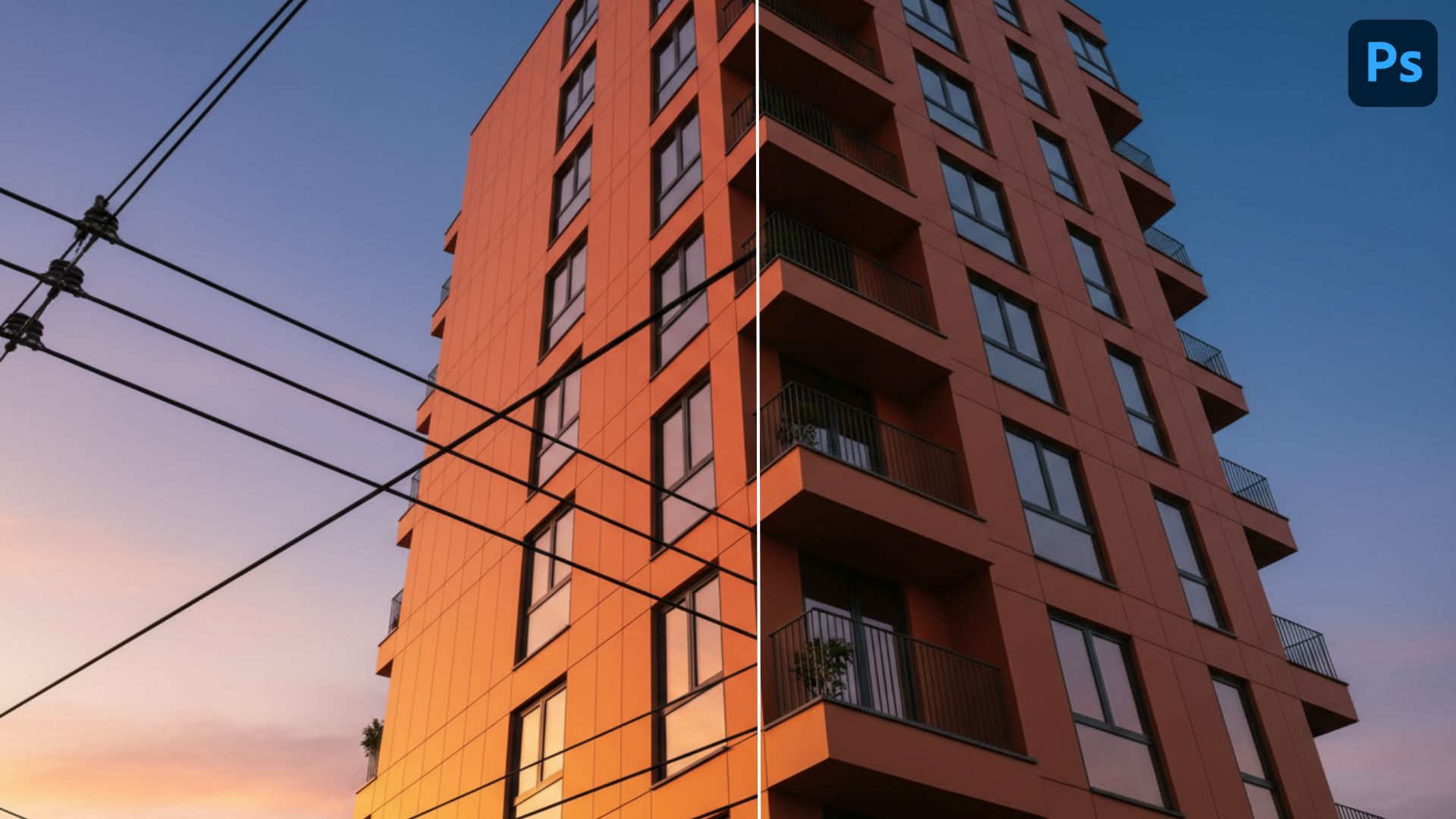
Remove cords and wires from real estate photos in Photoshop is an essential step to make property images look clean and professional. Cords can distract buyers, reduce visual appeal, and lower the perceived value of a home. In this guide, you’ll learn step-by-step methods to remove them effectively and create polished real estate photos that attract more attention.
1. Why Should Remove Cords and Wires in Real Estate Photos?
In real estate photography, every detail matters because buyers often make their first impression through listing photos. Visible cords and wires from lamps, TVs, routers, or appliances can easily distract viewers and make a room look messy or poorly maintained. By removing cords and wires from real estate photos, you create a clean and organized visual that highlights the property’s best features, such as spacious layouts, modern design, or elegant furniture. Wire-free images not only improve the overall aesthetics but also make the property appear more valuable and move-in ready.
Removing cords and wires from real estate photos is essential for creating clean, professional, and market-ready images. Here are the main reasons why should remove cords and wires in Real Estate Photos:
- Maintain a Clean and Tidy Look – Cords and wires create visual clutter that distracts buyers from the property itself.
- Enhance Aesthetics and Perceived Value – A neat photo increases the overall appeal and makes the home look more desirable.
- Improve Professional Presentation – Wire-free images look polished and stand out on real estate platforms and websites.
- Boost Buyer Engagement – High-quality, distraction-free photos attract more attention, clicks, and potential inquiries.
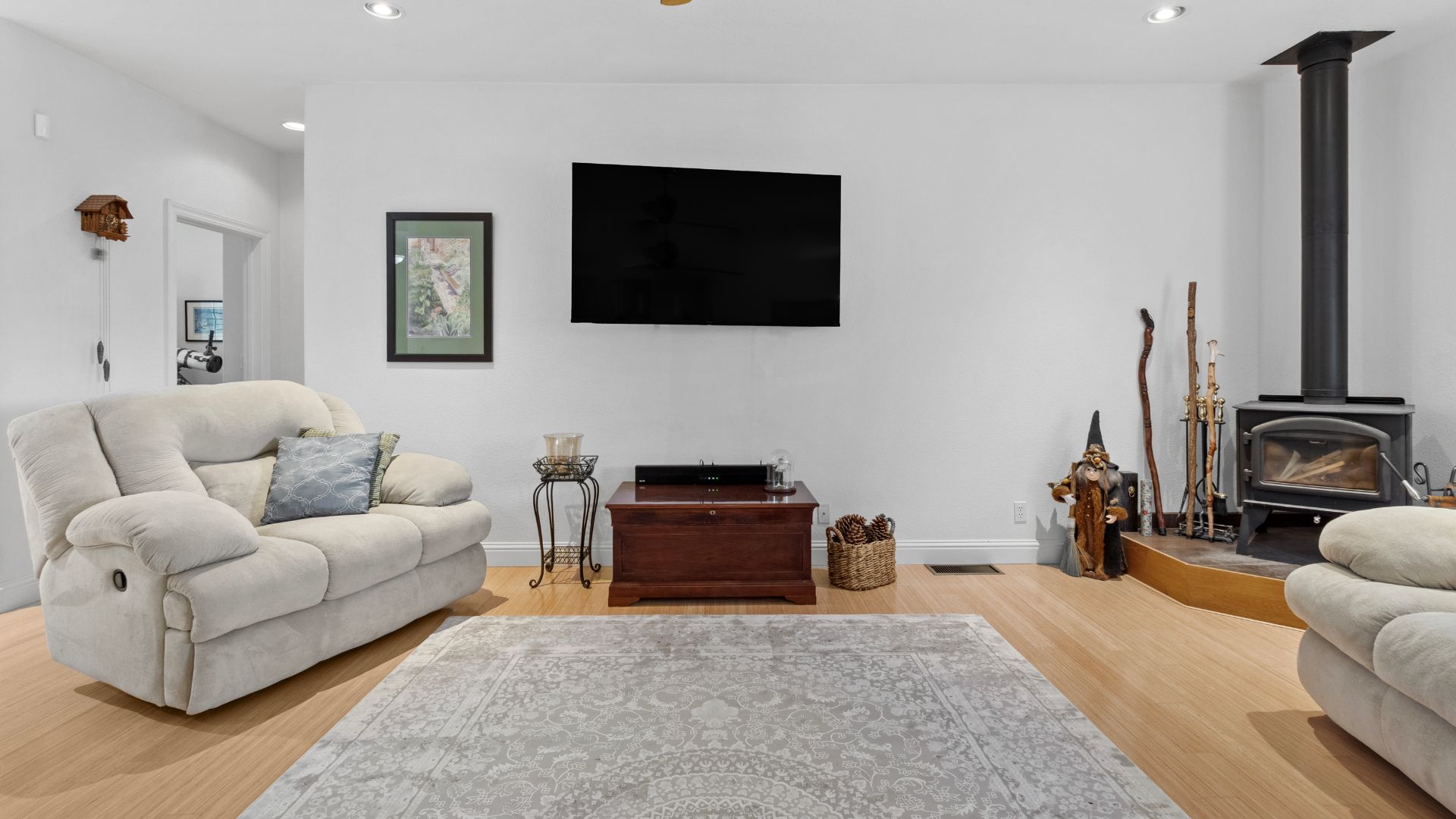
2. How to Remove Cords and Wires in Real Estate in Photoshop
Photoshop is one of the most effective tools to remove cords and wires from real estate photos, allowing you to produce clean and polished images that attract buyers. Distracting cables from TVs, lamps, or appliances can make a space look cluttered, but with Photoshop you can quickly fix this issue using different tools for different situations.
2.1. Spot Healing Brush Tool (Best for Simple Backgrounds)
- Open your photo in Photoshop and duplicate the background layer to protect the original.
- Select the Spot Healing Brush Tool from the toolbar.
- Adjust the brush size slightly larger than the cord you want to remove.
- Paint directly over the wire, and Photoshop will automatically blend the area with surrounding pixels
2.2. Clone Stamp Tool (Best for Complex Textures)
- Zoom into the area with cords for better control.
- Select the Clone Stamp Tool and press Alt + Click to sample a clean area near the wire.
- Carefully brush over the wire, following the natural patterns of the surface.
- Adjust hardness and opacity for smoother blending and a natural finish.
2.3. Content-Aware Fill (Best for Long Wires)
- Use the Lasso Tool to draw a selection around the cord.
- Go to Edit > Fill > Content-Aware and let Photoshop intelligently fill the area.
- Deselect the area and refine details with the Clone Stamp Tool if necessary.
This method works especially well for wires running across walls, ceilings, or large surfaces.
2.4. Pen Tool with Selection (Best for Precision Work)
- Choose the Pen Tool and carefully trace along the wire.
- Right-click and select Make Selection to convert the path into a selection.
- Apply Content-Aware Fill or use the Clone Stamp Tool inside the selection.
This approach ensures high precision when wires overlap important objects like windows, furniture, or appliances.
By following these methods, you can effectively remove cords and wires in Photoshop and create clean, distraction-free images. This process not only enhances the property’s visual appeal but also makes your listings look more professional, helping you attract more buyers and stand out in competitive real estate markets.
3. Get started with Professional Real Estate Photo Service
Editing real estate photos in Photoshop—such as removing cords, wires, and other distractions—can be effective, but it often requires time, patience, and advanced skills to achieve professional-quality results. For busy real estate agents, photographers, or property managers who need a large number of images edited consistently, outsourcing to a professional real estate photo editing service is the smartest choice.
By working with a professional service, you gain access to experienced editors who specialize in making property images clean, attractive, and market-ready. Tasks such as cord and wire removal can be done quickly and smoothly. You not only save time but also ensure that every image is polished, clutter-free, and ready to impress potential buyers.
- Consistent quality across all your listing photos.
- Fast turnaround times to keep your marketing on schedule.
- Tailored edits that match your brand style and property type.
- Affordable pricing to help you scale without extra workload
Reference our professional real estate editing service:
Whether you’re a real estate agent, photographer, or agency, partnering with a professional service allows you to focus on selling homes while we handle the editing. Get started today and showcase your listings with images that truly capture buyer attention.
Read more:

Annie Doo
Professional Video Editor
Hi, I’m Annie Doo, a professional video editor specializing in real estate post-production. Through hands-on experience with real-world projects, I’ve developed a strong understanding of visual storytelling, pacing, color, sound, and the workflows behind polished real estate videos. Here, I share practical insights, editing techniques, and production knowledge drawn from my day-to-day work in video post-production.
Was this article helpful?
Your feedback helps us create more useful real estate media guides.
Share this article


No Spam, Just Updates
Our fresh blogs provide technical and industrial information that helps strengthen your business. Sign up to be the first to receive the new updates
Related Posts

Real Estate Post-Production: A Complete Guide for Photographers and Media Teams
Oct 2, 2026
AI in Real Estate: A New Leap for Property Professionals
Sep 9, 2026
AI for Real Estate Marketing: A Practical Guide for Agents and Agencies
Sep 9, 2026
AI for Real Estate Agents: Practical Uses and Future Trends
Sep 7, 2026
15 Real Estate AI Companies to Know in 2026
Sep 5, 2026