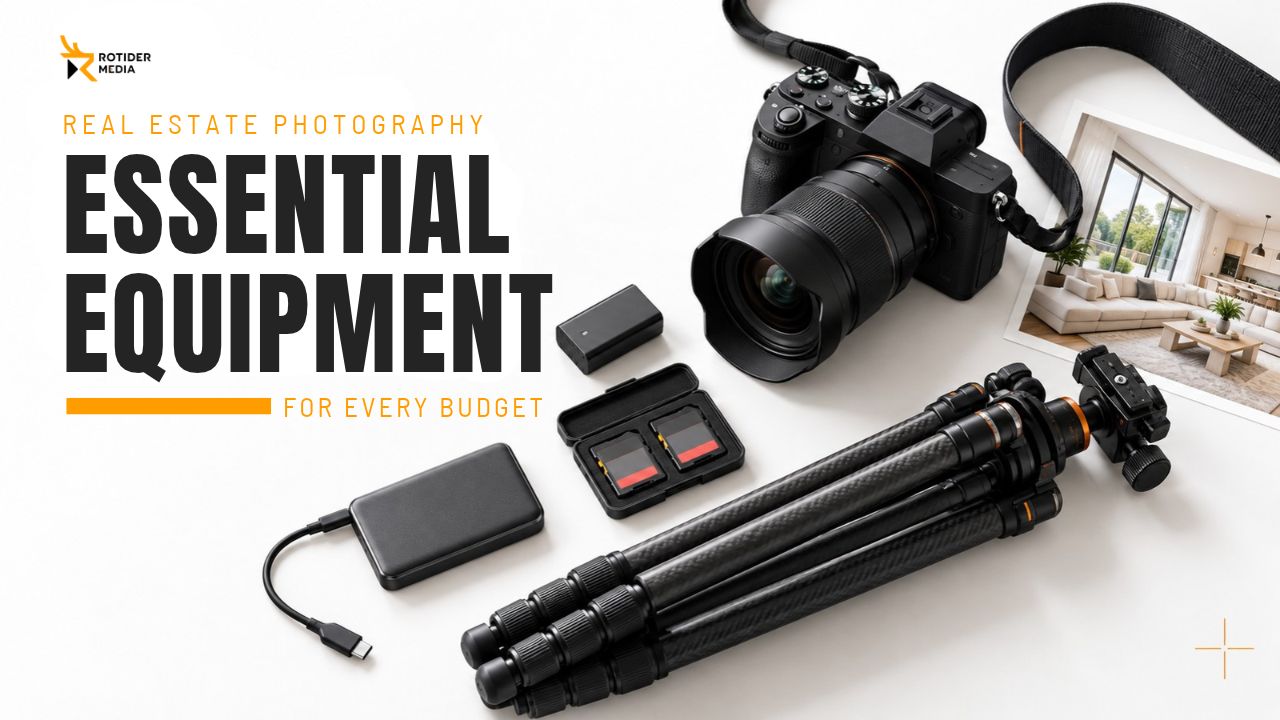
A practical real estate photography equipment setup should cover the entire assignment: capturing the property, protecting your files and keeping the kit ready for the next shoot. Camera specifications matter, but so do compatible accessories, dependable power and an organized bag.
This guide explains how to build a complete kit at different budget levels, choose cards and batteries, and decide which purchases will make the greatest difference to your work.
What Real Estate Photography Equipment Do You Need?
For standard listing photography, start with a capable camera, a compatible wide-angle lens, a stable tripod, memory cards, spare power and backup storage. Add lighting equipment according to your shooting method.
|
Equipment |
What to check before buying |
Budget priority |
|
Camera body |
RAW capture, exposure control, bracketing options and condition |
Use an existing suitable body before replacing it |
|
Wide-angle lens |
Mount compatibility, sensor coverage and sufficient field of view |
Budget for the lens alongside the camera |
|
Tripod and head |
Stability, working height, secure mounting and ease of leveling |
Avoid sacrificing reliable support for a more expensive body |
|
Memory cards |
Supported format, required speed and capacity |
Include a spare, not just one large card |
|
Batteries and chargers |
Compatibility, condition and practical charging options |
Cover the planned workload and unexpected interruptions |
|
Camera bag |
Actual equipment fit, protection and accessibility |
Buy for your working kit rather than maximum advertised capacity |
|
Storage |
Space for originals, working files and additional copies |
Establish backups from the beginning |
Camera and Lens as a Complete System
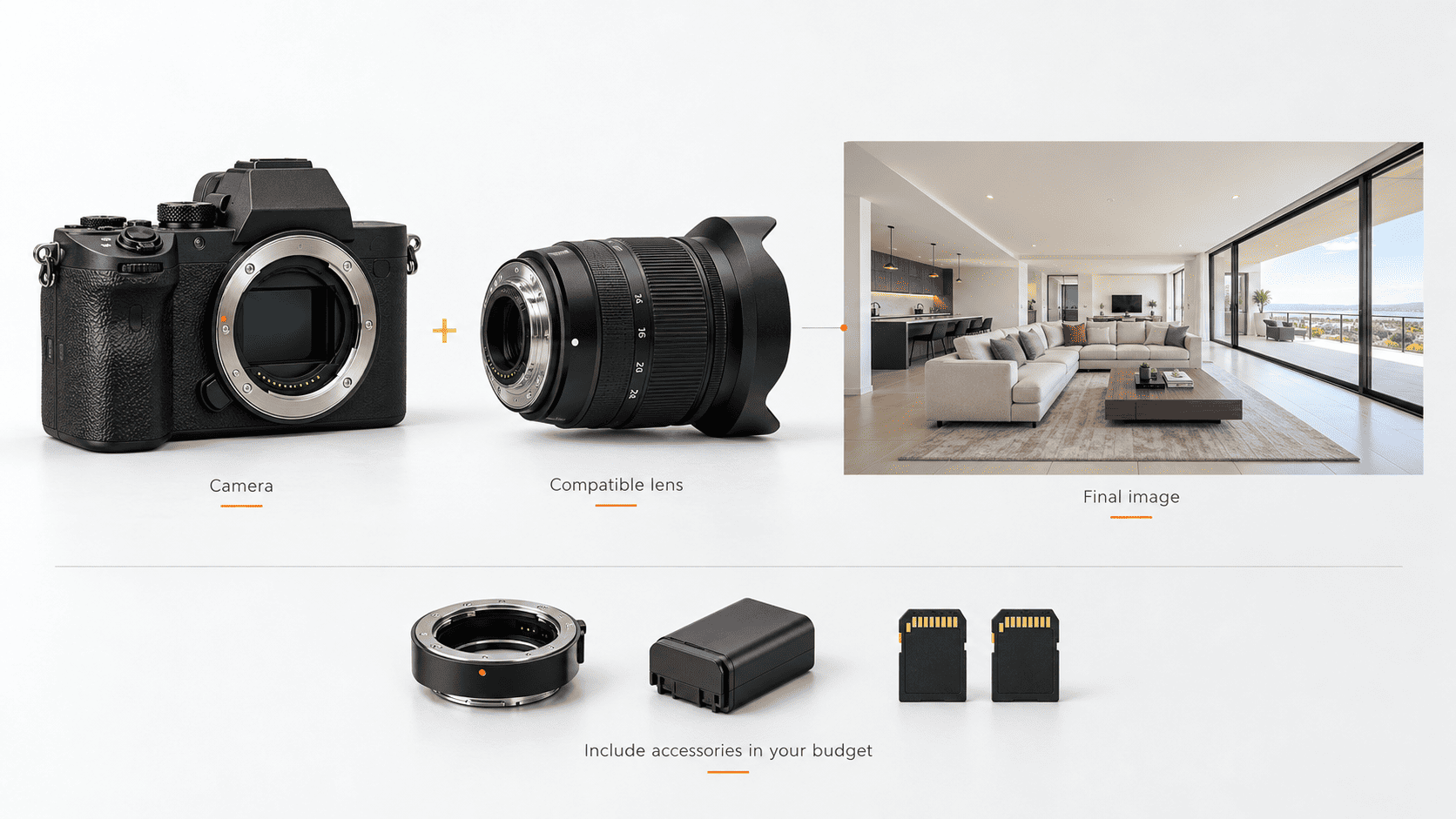
Test your existing camera with a compatible lens that provides the coverage you need before replacing the body. A lens upgrade may help more when insufficient coverage or lens performance is the main limitation. Photograph a representative property and evaluate corrected detail, exposure flexibility and final framing.
When planning to upgrade real estate photography gear or purchase a new camera system, consider the total cost for both the camera body and lenses. Do not forget to factor in essential accessories required for operation, such as adapters, spare batteries, or memory cards. An attractively priced camera body can quickly become less appealing once you add the cost of these accessories.
To compare models in detail and make the best choice, consult specialized camera and lens guides rather than defaulting to the most expensive option.
Read more: Best Camera for Real Estate Photography in 2026
Tripod, Mounting and Lighting Compatibility
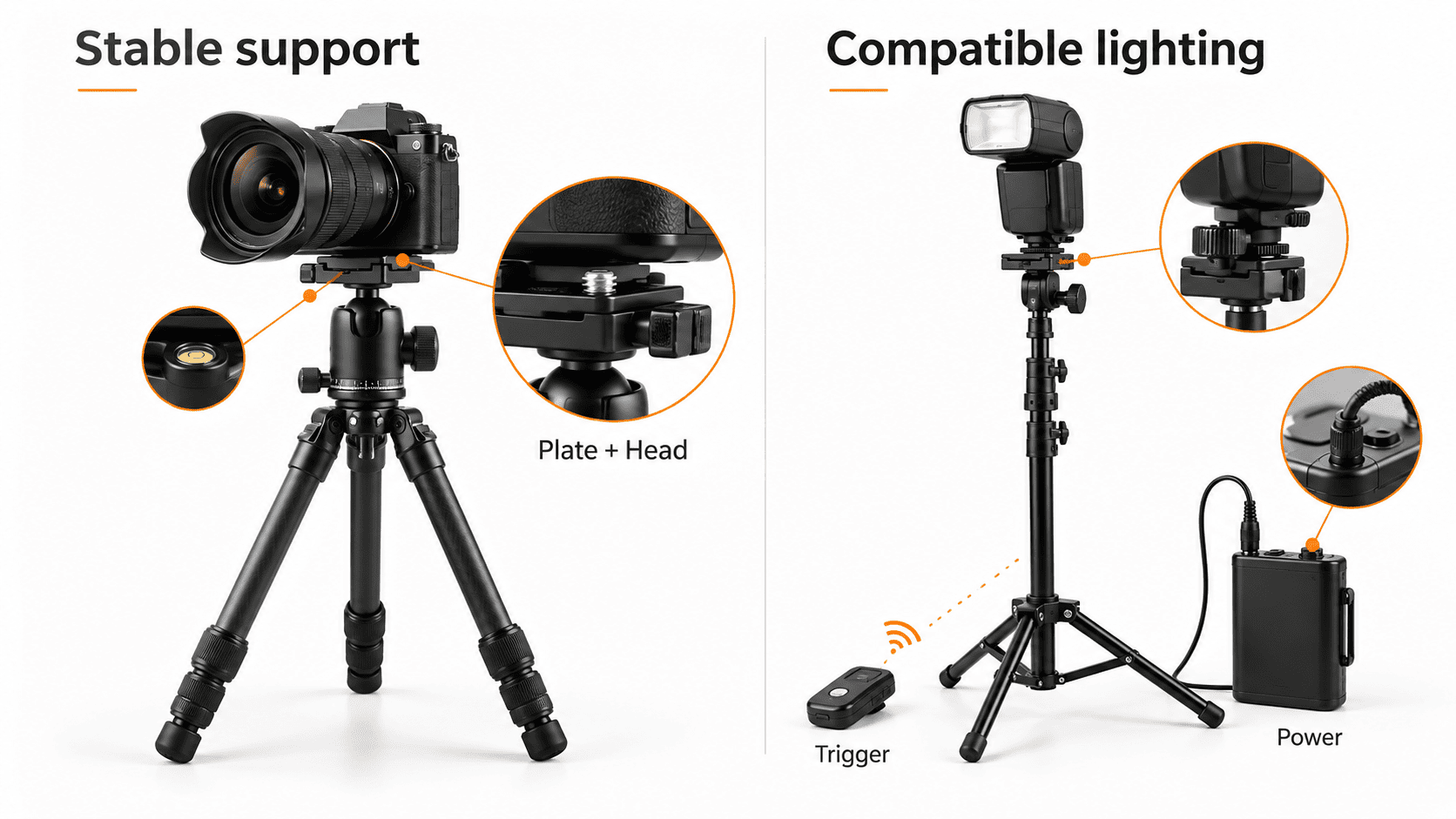
Test your tripod with the specific camera and lens setup you plan to use. Verify that the tripod head holds its position, the legs remain stable, and the mounting plate secures tightly.
Beyond weight support, consider ease of operation. A tripod head that is difficult to level or a mounting plate requiring constant adjustment will disrupt your workflow.
If your shooting style involves flash, factor in the cost of triggers, light stands, mounts, and compatible batteries or battery packs for your flash. Ensure every component in the system is fully compatible before taking on commercial jobs.
Real Estate Photography Kits for Different Budgets
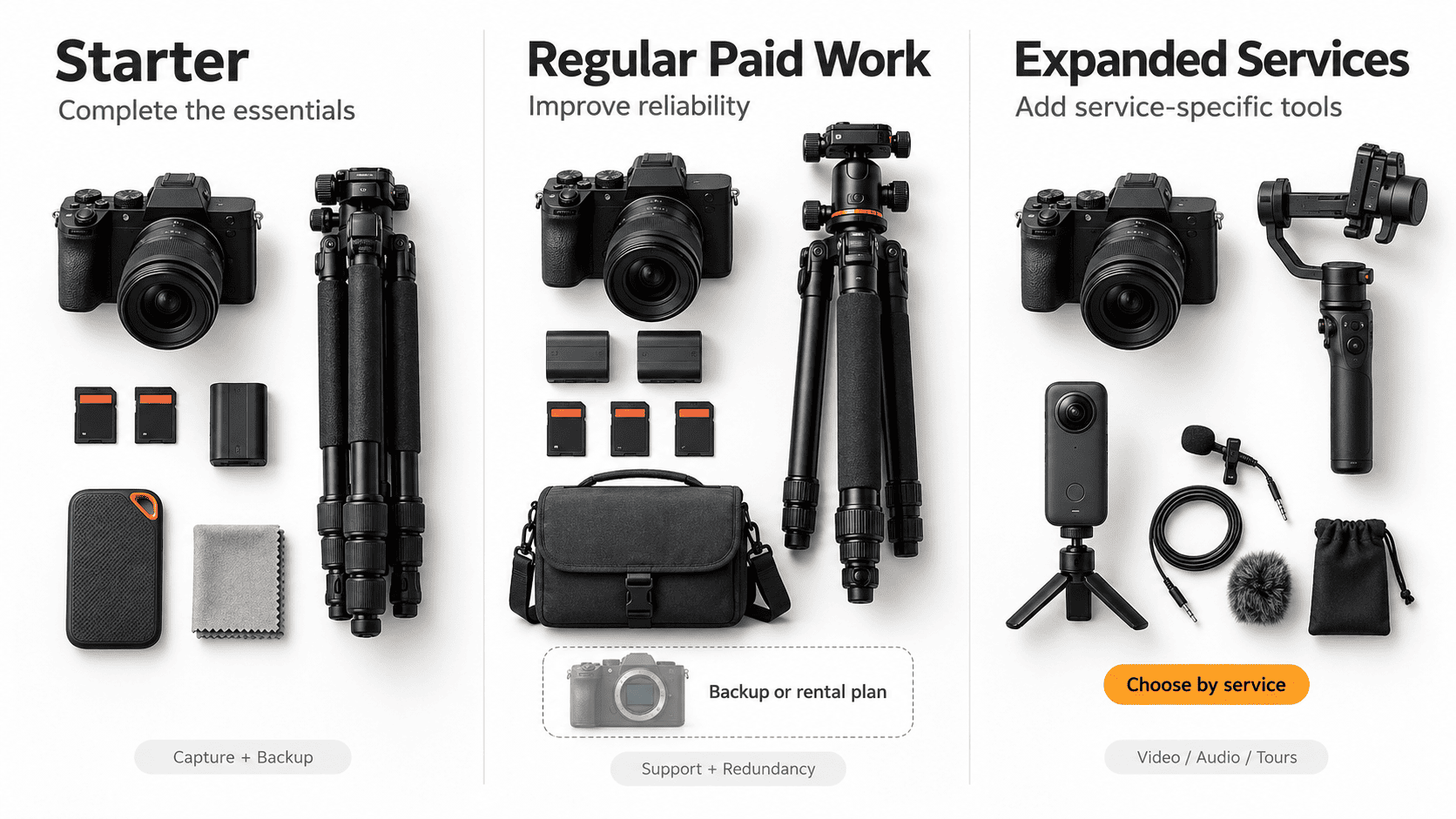
A useful budget covers a complete working setup. Spending more should address a specific limitation, improve reliability or support an additional service.
The following tiers describe purchasing priorities rather than fixed dollar amounts. Existing equipment, used prices and system choices can change the total considerably.
|
Kit level |
Core purchasing priority |
Add when needed |
|
Starter |
Suitable body, compatible wide zoom, stable tripod, cards, spare power and backup storage |
Basic lighting |
|
Regular paid work |
Reliable support, tested power, spare cards and a clear failure plan |
Second body or dependable rental access |
|
Expanded services |
Equipment required by the additional service |
Audio, video support, specialized lenses or virtual-tour tools |
Starter Kit on a Limited Budget
When selecting beginner real estate photography equipment, prioritize a suitable camera body, a compatible wide-angle lens, and a sturdy tripod. Complete your kit with memory cards, spare batteries, basic cleaning supplies, and a backup storage device.
Keeping a suitable camera and adding missing lenses or accessories can reduce the initial cost. Pre-owned or refurbished gear can also save money on essential items, provided you verify condition, return policies, and system compatibility.
Postpone purchasing specialized lenses, extensive lighting setups, or equipment for services you do not yet offer. First, confirm that you can consistently shoot and deliver a complete real estate photo set.
Midrange Kit for Regular Paid Shoots
A mid-tier real estate photography equipment setup should effectively minimize common on-site issues. Worthwhile investments include a more ergonomic tripod head, a proven flash system, extra batteries, or a bag that offers quicker access to your gear.
Retain any camera body or lens that continues to serve your needs well. Allocate your remaining budget toward reliability, redundancy, and upgrading specific components that slow down your current workflow.
Always maintain a backup plan for potential gear failures. Depending on the job, this might mean a compatible second body, a thoroughly tested replacement device, or fast, reliable access to local rental services.
Advanced Kit for Expanded Services
An advanced real estate photography gear setup should directly reflect the specific demands of your clients. More precise lighting or specialized lenses may be useful for particular assignments. Higher video resolutions may be worthwhile when delivery specifications or the editing workflow require them.
Adding video capabilities may require dedicated stabilization, microphones, appropriate media cards, higher power capacity, and expanded editing workflows. Virtual tours call for compatible capture tools and hosting, while aerial work involves its own specialized equipment and legal operating requirements.
Budget for the complete service offering, including ongoing training and software costs. Specialized hardware delivers the most value when backed by a clear business implementation strategy.
Read more: Best Lenses for Real Estate Photography
How to Choose Memory Cards for Real Estate Photography
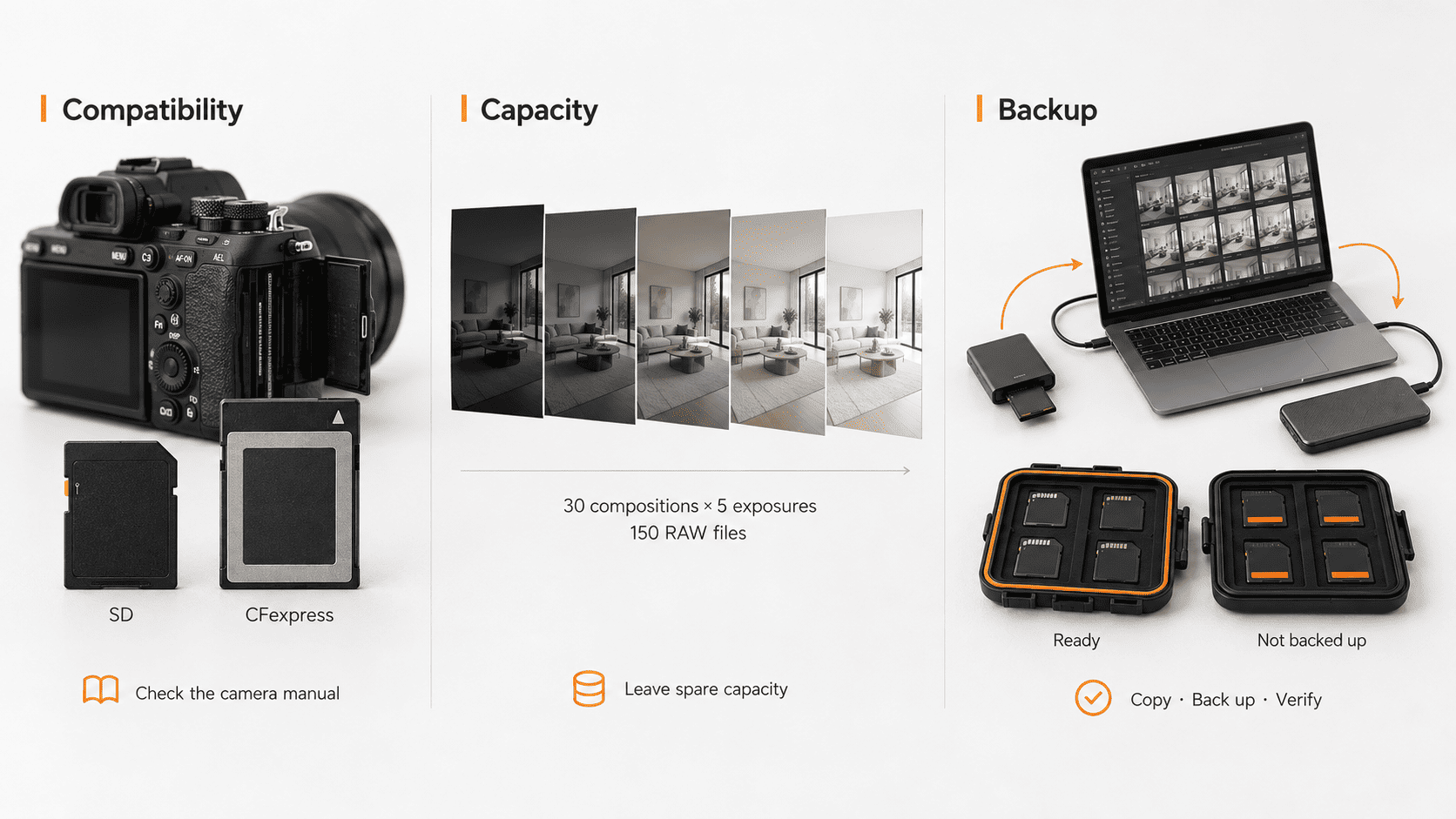
The right memory cards for real estate photography must match both the camera and the workload. Choose the supported format first, then assess performance and capacity.
Card Format, Compatibility and Speed
Before buying an SD card for property photography, check the formats and recording requirements listed in your camera manual. Some cameras use SD cards, others require CFexpress, and certain models feature multi-format memory slots.
Card requirements vary with burst shooting, video bitrate and the camera’s supported recording modes. Select cards that match the recording modes you actually use, while leaving headroom for anticipated workflow upgrades.
Capacity determines how much you can store; required write performance depends on the recording mode. Match the card type and speed class to the camera manual rather than choosing by capacity or advertised read speed alone.
Buying the fastest card available is not always the best use of your budget. Real-world performance depends on the camera body, card reader, transfer interface, and destination storage drive.
Estimating Memory Card Capacity for RAW Brackets
Estimate memory card capacity for RAW brackets from the source frames rather than the number of finished images:
Estimated space = compositions × exposures per composition × average RAW file size
For example, 30 compositions captured with five exposures each produce 150 RAW files. At an illustrative average of 30 MB per file, that amounts to approximately 4.5 GB before test frames, additional angles or video.
Use your own camera files for a more useful estimate. RAW size changes with resolution, compression and recording settings.
Leave spare capacity instead of planning to fill the card completely.
Spare Cards and File Handling
Always carry extra memory cards for real estate photography, even if your current card has enough capacity for a full day of shooting. Keep ready-to-use cards separate from cards containing files that have not been backed up.
Copy the original files to working storage, create an additional backup, and verify the transfer before reusing the card. Check the expected file count and transfer results as well as opening representative files; opening a few images alone does not verify the complete transfer.
If your camera supports dual-card recording, understand the active write mode you have selected. Inserting cards into both slots does not automatically mean every file is being mirrored.
Batteries and Backup Power for Property Shoots
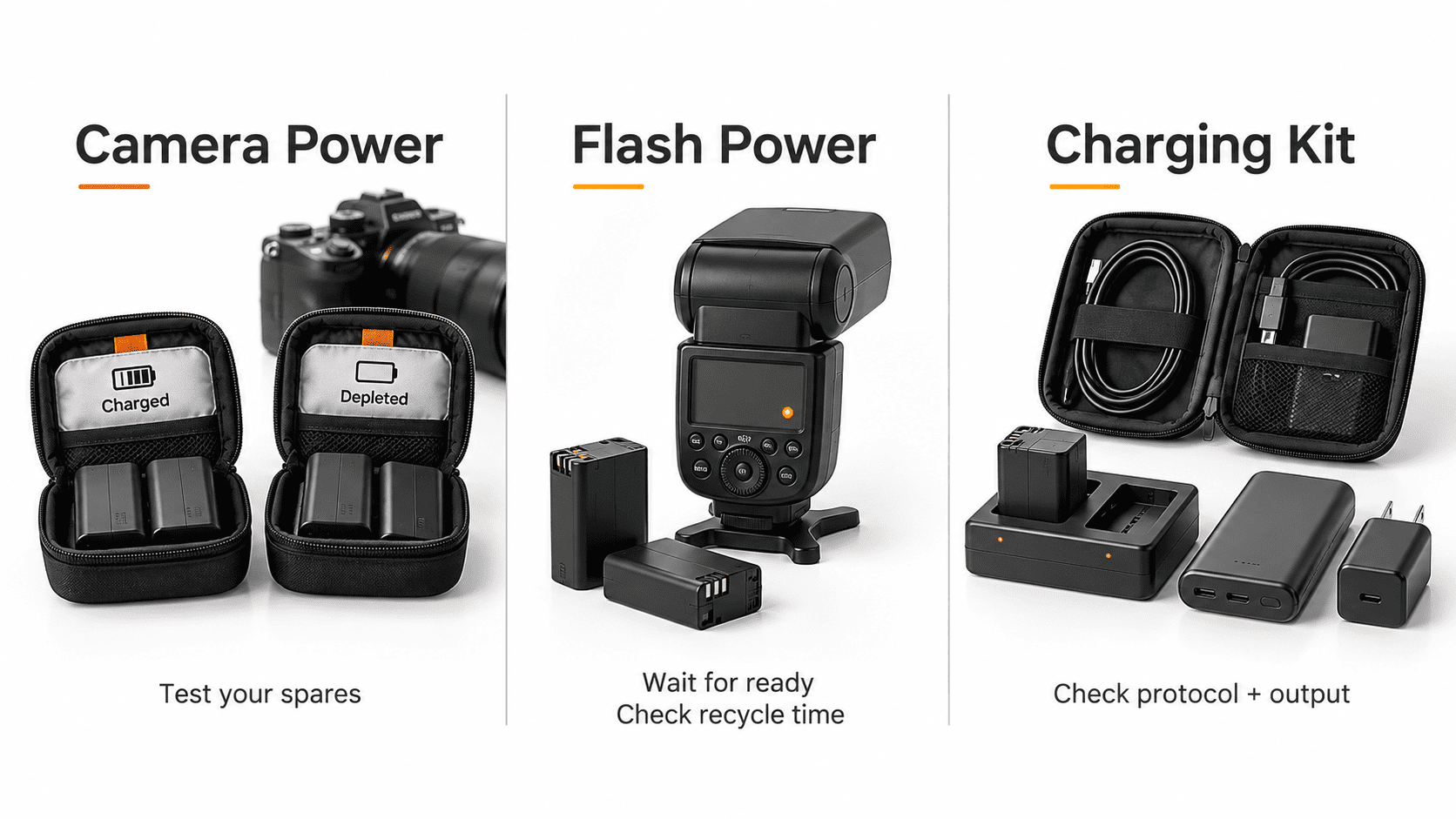
Choosing batteries for real estate photography requires planning around actual use. Live view, video, wireless connections, temperature and review habits affect consumption.
Camera Batteries and Spare Power
Start with fully charged batteries and always carry tested spares. Track your power consumption during actual shoots to establish a reliable baseline for your setup.
Your backup-power plan should account for uncharged batteries, reduced capacity and charger failures.
Clearly separate freshly charged batteries from depleted ones. Always verify system compatibility before using third-party batteries or external power sources.
Flash Batteries and Recycle Time
Plan flash power separately from camera power. Different flash models rely on different battery types, and higher output settings significantly impact overall power consumption.
Higher flash output generally increases recycle time; battery condition and the power system also matter. Firing before the flash is ready can cause underexposed frames, missed flashes or inconsistent results.
Test your intended shooting workflow in advance and carry sufficient spare power supplies. Manufacturer battery-life figures are measured under specified conditions, not as a number of properties. Test your typical output levels and shooting sequence.
Charging Between Assignments
List all electronic devices that require power, including triggers, microphones, external monitors, and mobile phones. Bundle all necessary chargers and connecting cables together.
Before attempting to charge gear using a vehicle power outlet or power bank, check the supported charging protocols and required power output specifications. A matching plug format does not guarantee power compatibility.
Incorporate battery charging into your standard prep workflow, rather than relying on finding accessible power outlets at your next location.
Small Accessories That Complete Your Kit
.png)
Useful real estate photography gear includes modest purchases that prevent delays. Add accessories to solve a clear problem rather than filling every compartment in the bag.
Remote Releases and Mounting Spares
A remote shutter release helps minimize physical contact with the camera body. Depending on your workflow, using the built-in self-timer or a smartphone companion app can serve as a suitable alternative.
Always carry the necessary tools for your mounting system. Additionally, keeping a spare compatible mounting plate on hand is helpful when switching quickly between camera bodies or replacing a plate attached to another device.
Filters and Color References
A circular polarizer helps control reflections on non-metallic surfaces. Its effectiveness depends heavily on lighting conditions and viewing angles, while also reducing the overall light reaching the sensor.
A gray card or color target provides a reliable reference based on ambient lighting at the time of capture. However, these tools do not automatically fix every area affected by mixed light sources in a room.
Consider adding these tools only if they directly benefit your current workflow, rather than viewing them as mandatory purchases from day one.
Cleaning and Weather Protection
Pack a blower, clean lens cloths and suitable cleaning products. Inspect the lens before important captures, particularly after outdoor work.
Basic weather protection is useful during transport and exterior assignments. Follow manufacturer guidance when cleaning or handling the equipment.
Budgeting for Editing and Storage
Include file handling in the equipment budget from the start. You need a dependable way to transfer, review and protect the source files, even when editing is outsourced.
Computer and Software Requirements
Assess the computer against the work you perform. RAW processing, HDR merging, layered retouching and video editing place different demands on the system.
Check the current Lightroom Classic system requirements before purchasing or upgrading. Running the application and processing demanding projects efficiently are different requirements.
If the current computer handles your workload reliably, retain it and direct the budget toward a more pressing limitation.
Working Storage and Backup Copies
Organize original RAW files, working files and final exports clearly. Separate folders on the same drive are not independent backups. Maintain additional copies, including an off-site copy.
A drive holding only a single copy functions as basic storage, not a proper backup system. Periodically test that files can be restored from the backup. Dual-card recording can provide redundancy during capture, but it does not replace backups after the shoot.
On a tight budget, establish a reliable backup process before spending on non-essential performance upgrades.
Example handoff: organize each property in a separate folder, keep exposure brackets identifiable, include the requested output specifications, and retain a backup while the files are being edited.
Read more: Real Estate Post-Production — A Complete Guide for Photographers and Media Teams
Should You Upgrade Your Camera or Lens First?
Before you upgrade real estate photography gear, identify the limitation affecting your assignments. Compare equipment changes with improvements to technique, support and workflow.
When a Lens Upgrade Is More Useful
Consider replacing a lens when it fails to provide the required field of view, lacks expected detail at your current settings, or creates specific operational bottlenecks.
First, verify your focus accuracy, camera stability, and necessary software corrections; a new lens will not automatically solve foundational capture technique issues.
Prioritize the lens when it is the limiting factor and the camera already meets delivery requirements.
When a Camera Upgrade Is Justified
A camera-body upgrade makes sense when you need video capabilities, advanced bracketing options, system reliability, or image quality that your current model cannot deliver.
Whenever possible, test new gear under real-world working conditions. Compare the resulting image files and post-processing workflows rather than relying solely on technical spec sheets.
When upgrading camera bodies or lenses, remember to factor in the total cost of supporting accessories, including memory cards, batteries, lens adapters, and higher data processing requirements.
When Another Investment Should Come First
A stable tripod may improve bracket consistency. Appropriate lighting may provide better source frames. Faster intake or clearer file organization may reduce production delays.
Track where time is lost and where corrections recur. Spend on the limitation that affects your work most directly.
Frequently Asked Questions About Real Estate Photography Equipment
What Equipment Should You Buy First?
Start with a suitable camera-and-lens combination, stable tripod, compatible cards, spare power and backup storage. Add lighting and specialized tools according to your shooting method and services.
How Much Should Beginners Spend?
Budget for a complete working setup rather than the camera alone. Existing, used or refurbished equipment can reduce the initial cost, provided it meets your requirements and is dependable.
Is a 64 GB SD Card Enough?
It may be sufficient, but estimate from your camera’s RAW file size, bracket count and planned workload. Video and additional captures can increase the requirement substantially.
How Many Spare Batteries Should You Carry?
Carry enough tested power for the planned workload plus a contingency. Use actual consumption from several shoots rather than a universal battery count.
Do You Need a Backup Camera?
For paid assignments, have a workable response to equipment failure. Depending on the job, this may involve a second body, a tested alternative or dependable rental access.
Conclusion
The right real estate photography equipment fits your assignments, budget and file-handling workflow. Prioritize compatible equipment, stable support, dependable power and secure file handling before adding specialized tools.
Well-prepared source files also support consistent post-production. Rotider helps photographers and media teams turn those files into property marketing assets through photo editing, video editing and virtual staging.




.jpg)
-1.png)